Click to upload an image

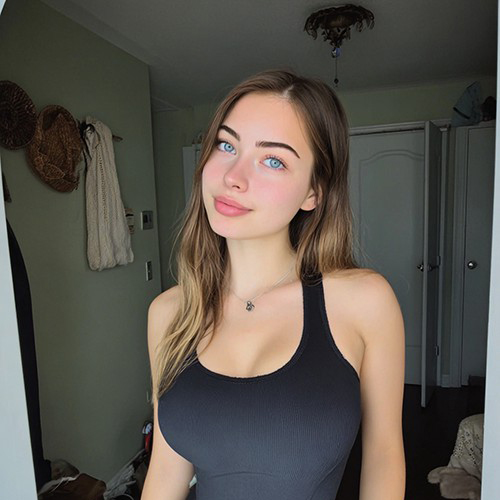
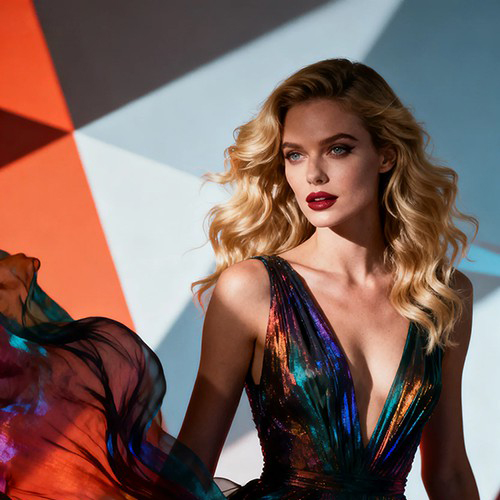







Capture the Perfect Glow with Golden Hour Light AI
Get that sun-kissed look any time of day. With PicYou AI’s "Golden Hour Light" tool, transform a single portrait into a warm, radiant masterpiece with professional sunset lighting and natural glows.
Why Use the PicYou AI Golden Hour Light Tool?
Stop waiting for the perfect sunset. Our AI golden hour tool recreates the warm, cinematic lighting of the "magic hour" to make any photo look high-end and breathtaking.

Natural Sun-Kissed Lighting AI
Our advanced AI intelligently maps the light onto your face and surroundings, applying realistic warm tones and highlights that mimic an actual sunset.

Instant Radiant Skin and Glow
Transform flat, dull portraits into glowing works of art. Perfect for enhancing your vacation photos or creating a warm, approachable social media profile.

One-Click Magic Hour Transformation
Simply upload one clear portrait. The AI handles the complex light-scattering and shadow-toning to ensure the golden hour effect looks authentic and atmospheric.

Artistic Lens Flares and Warmth
Enhance your photos with subtle lens flares and rich, amber hues that add depth and a professional "photographer’s touch" to every shot.

Viral Aesthetic Content Creator
Optimized for high-end Instagram aesthetics, these golden hour edits are designed to capture more likes and provide that dreamy, cinematic vibe everyone loves.
How to Add Golden Hour Light to Your Photos
Ready to glow? Follow these three simple steps to add beautiful sunset lighting to your photo using PicYou AI’s advanced editing technology.
Step 1: Upload a Clear Portrait
Select a photo with natural poses or outdoor settings. A clear face and background allow the AI to blend the warm sunset light more realistically.
Step 2: Apply Golden Hour Light Template
Select "Golden Hour Light" from the photo editing tools category. Watch as our AI instantly washes your photo in soft, amber, and golden tones.
Step 3: Download and Shine
Click generate to finalize the warm look. Download your high-definition golden hour portrait and share your radiant new look with your followers!
Frequently Asked Questions
Learn how to get the most natural and stunning sunset lighting effects using our AI-powered photo editing tool.
What does the "Golden Hour Light" template do?
It is an AI tool that mimics the lighting conditions of a sunset, adding warm, golden tones, soft shadows, and a natural glow to any portrait.
Does it work for indoor photos?
Yes! The AI can apply a "window light" golden hour effect to indoor shots, making it look like you are being hit by the setting sun from outside.
Will the lighting look fake or yellow?
No, our AI adjusts the color balance based on your skin tone and the original lighting to ensure the glow looks soft, natural, and professionally edited.
Is this good for landscape photos too?
While optimized for portraits, the tool can also add a beautiful warm wash to scenery, creating an overall more inviting and artistic atmosphere.
Does the AI change my facial features?
Not at all. The Golden Hour Light tool only focuses on lighting, shadows, and color grading to enhance your natural beauty without changing your identity.
Is it free to use the Golden Hour filter on PicYou AI?
PicYou AI offers credits for users to try out our lighting tools. For unlimited high-definition sunset edits, check our premium subscription plans.